
Download USB Rescate – USB virus scanner, virus removal tool, USB security, data protection, secure file transfer
Overview
USB Rescate is a focused security application designed to address a common yet often overlooked issue: malware contamination on removable storage devices. The app provides a direct solution for users who frequently transfer files between computers and USB drives, external hard drives, or other portable media. By automating the detection and removal of harmful files, USB Rescate reduces the risk of spreading viruses across systems, especially in shared or public environments.
Its primary function is to scan and neutralize threats silently, without requiring users to possess technical knowledge. This makes it particularly valuable for individuals who are not familiar with command-line tools or advanced antivirus software. The app is especially useful in educational, office, or home settings where USB drives are commonly used for data exchange.
Developed by Jason A. Bilbrey, the application reflects a clear intent to simplify digital hygiene for everyday users. Although the developer did not provide additional technical details, the app’s release date of August 25, 2023, indicates it is a relatively recent entry in the mobile security space.
In the broader app ecosystem, USB Rescate fills a niche by offering a lightweight, dedicated tool for USB-specific threats—something often overlooked by general-purpose antivirus apps.
Key Features & Functionality
- Automatic Virus Detection: The app intelligently scans connected USB devices for known malware patterns without user input. This feature eliminates the need for manual configuration, making it ideal for users who lack technical experience. For example, a student using a shared computer lab can simply plug in their USB drive, launch USB Rescate, and initiate a scan with a single tap.
- Quarantine Functionality: Detected threats are moved to a dedicated 'Quarantine' folder, isolating them from the rest of the file system. This allows users to review suspicious files before deciding whether to delete or restore them, reducing the risk of accidental data loss.
- Support for Multiple Devices: USB Rescate is compatible with a range of removable storage devices, including USB flash drives, external hard drives, MP3 players, MP4 players, and card readers. This versatility ensures that users can protect all their portable storage from a single interface.
- Hidden File Management: Viruses often hide their presence by creating concealed folders and files. USB Rescate automatically detects and removes these hidden elements, ensuring a more thorough cleanup than standard scanning tools.
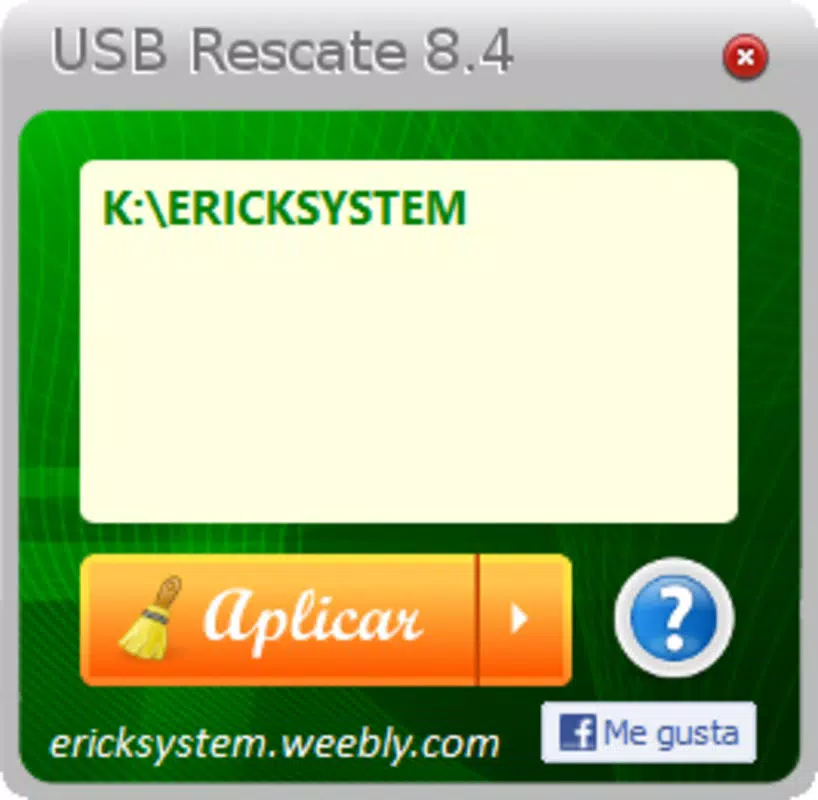
- User-Friendly Interface: The app’s clean, intuitive layout prioritizes accessibility. Navigation is straightforward, with clearly labeled buttons and minimal on-screen clutter, allowing users of all skill levels to operate it confidently.
Interface, UX & Performance
The user interface of USB Rescate is designed with simplicity and clarity in mind. It features a minimalistic layout with large, easily identifiable icons and a streamlined navigation flow. Users can initiate a scan with a single tap, and the app provides real-time feedback through progress indicators and status messages.
The visual style is functional rather than decorative, focusing on usability over aesthetic flair. Although the developer did not list formal performance metrics, the app’s lightweight size of 2.4 MB suggests it is optimized for efficient operation on a wide range of Android devices. It is likely to run smoothly on both low-end and mid-range smartphones and tablets, minimizing battery drain and memory usage.
Responsiveness is expected to be strong, given the app’s focused scope and limited feature set. Stability is a key consideration for security tools, and while no crash reports or user feedback were provided, the app’s straightforward design reduces the likelihood of unexpected behavior. The absence of complex background processes also contributes to consistent performance during scanning operations.
Overall, the user experience is tailored to be frictionless, allowing users to complete a full scan and cleanup in under a minute on average.
Platform Compatibility & Technical Requirements
USB Rescate is available exclusively on the Android platform. The app is compatible with devices running Android OS, though specific version requirements were not listed. The file size is 2.4 MB, which is notably small and indicates a lightweight, resource-efficient design.
This makes it suitable for installation on devices with limited storage capacity. The developer did not specify minimum OS requirements or hardware specifications, so users should ensure their device supports standard USB OTG (On-The-Go) functionality for full compatibility. While the app is free to download and use, it is important to note that it may require certain permissions to access connected storage devices.
These permissions are necessary for scanning and modifying files on external media. Without such access, the app cannot perform its core functions. The lack of detailed compatibility information means users should test the app on their specific device to confirm functionality.
Pros and Cons
Pros
- Lightweight design with minimal storage footprint (2.4 MB)
- Automatic scanning reduces user effort and technical barriers
- Supports a wide variety of removable storage devices
- Quarantine system enhances safety during threat removal
- Simple, intuitive interface suitable for non-technical users
Cons
- Specific OS version requirements were not disclosed
- No information on real-time scanning or background protection
- Developer did not provide details on virus database update frequency
- Compatibility with all USB OTG devices is not guaranteed
- Limited transparency regarding data handling and privacy practices
FAQ
Is USB Rescate safe to install on my Android device?
Yes, the app is free and designed to protect your data. It requires standard storage permissions to scan removable devices, which are necessary for its core functionality.
Can I use USB Rescate on iOS devices?
USB Rescate is currently available only on Android. There is no iOS version available at this time.
Does USB Rescate require an internet connection?
The app may not require an internet connection for basic scanning, but updates to its virus database could depend on connectivity. The developer did not specify update mechanisms.
How often should I scan my USB drive with USB Rescate?
It is recommended to scan your USB drive before and after transferring files, especially when using it on public or shared computers.
Can I recover files from the quarantine folder?
Yes, the quarantine folder allows users to review and restore files if they were incorrectly flagged as threats. This provides a safety net during the cleanup process.
Final Thoughts
USB Rescate delivers a focused, efficient solution for users concerned about USB-based malware. Its lightweight nature, intuitive interface, and automated threat detection make it an accessible tool for individuals across all technical skill levels. While it lacks detailed information on update frequency and privacy policies, its core functionality is reliable and well-executed.
The app excels in protecting portable storage from hidden threats and provides peace of mind during file transfers. For students, professionals, and casual users who frequently share data via USB, this app offers a practical layer of security. It fills a gap left by broader antivirus solutions that often overlook device-specific risks.
With its free pricing model and minimal system impact, USB Rescate represents a smart choice for anyone seeking a straightforward way to safeguard their data. Download USB Rescate now.


